Devlog 2
Door
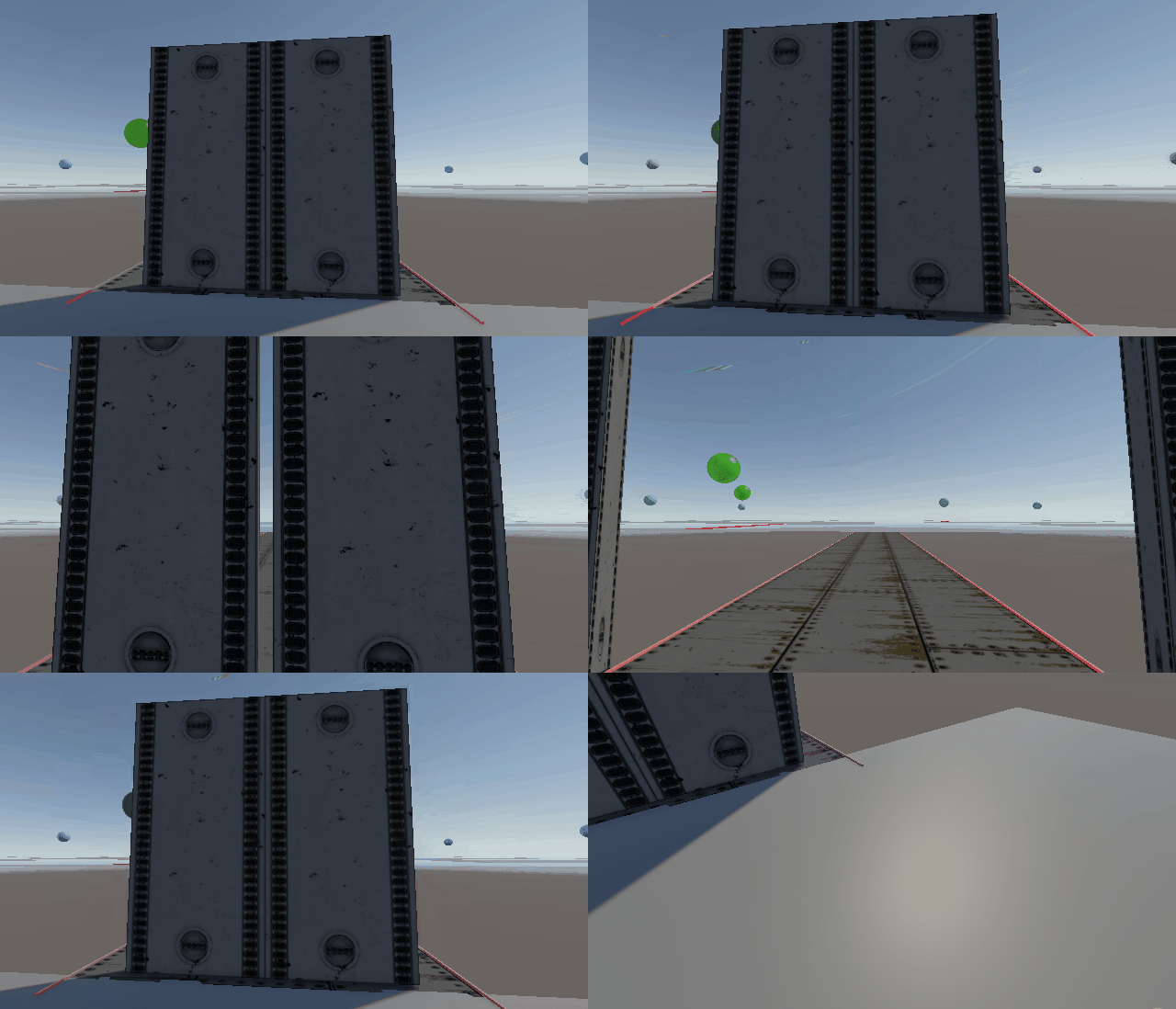
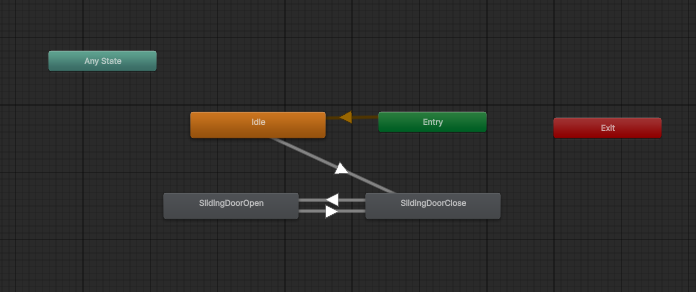
We designed a concept for an automatically opening double sliding facility door. It essentially just consists of a trigger collider to start the animation, then the animator just has 2 keyframes: opened and closed.
Office
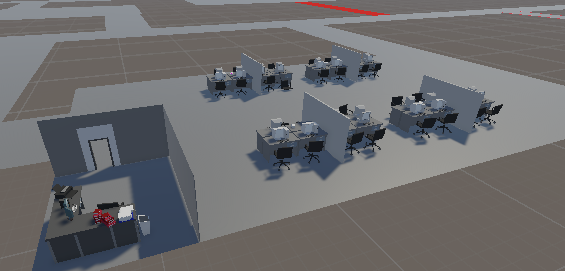
The first room we started furnishing is a research office. We used an office asset pack and laid out some cubicles. Since the level scale hasn't been finalised yet, we left the room spacious so we can adjust the sizes of everything. The boss/manager has an office in the corner, and this will likely contain a keycard or another key item for a door or puzzle.
animated enemy
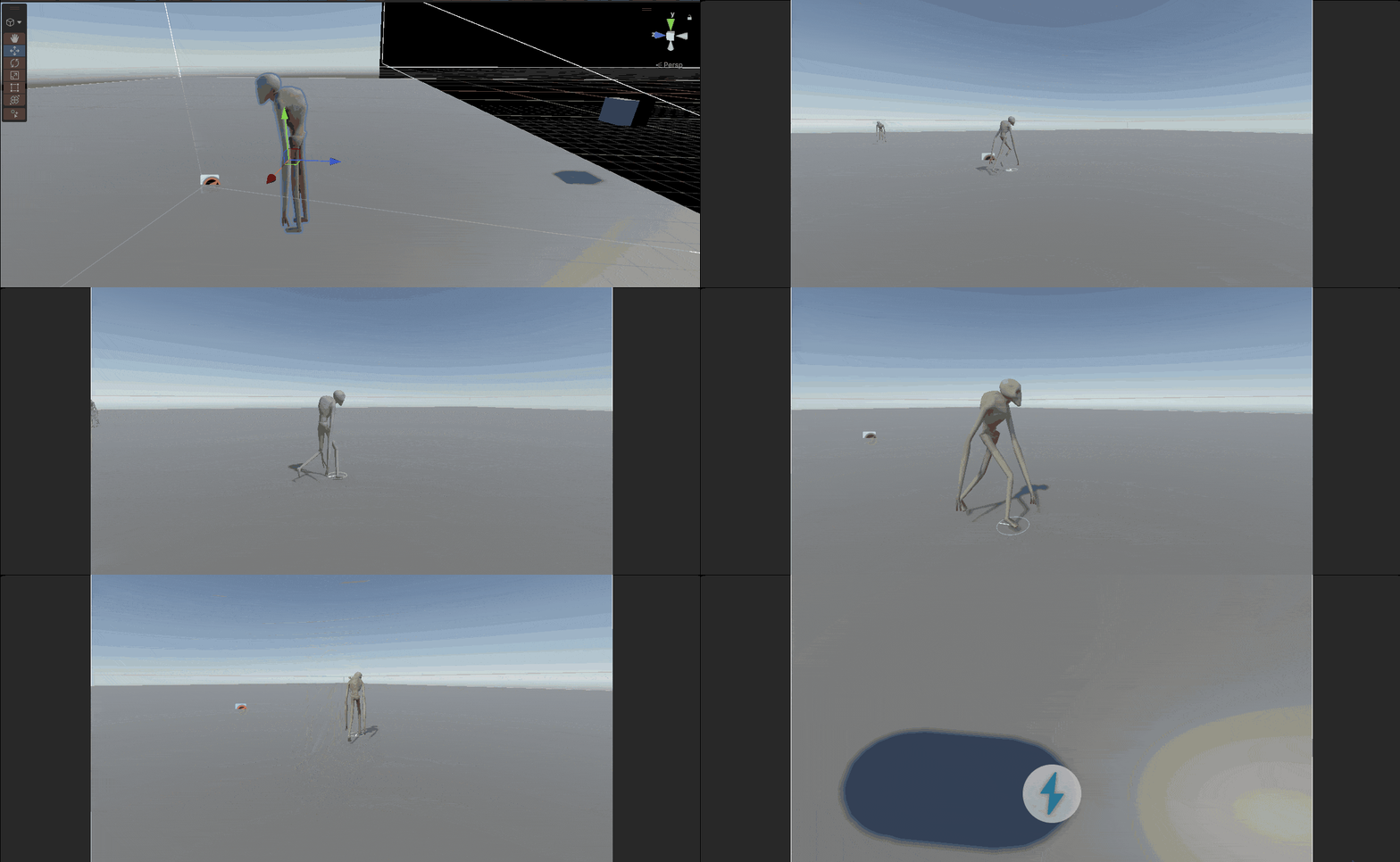
We imported the alien model and the idle/walk animations. Then built upon a patrolling enemy "Alien" prefab we had made by adding an animator and a rudimentary test animation script that tied the agent's velocity to playing the walk animation. This allowed us to fine-tune the enemy's walk animation and speed to fit the nature we were aiming for. It will be replaced with a script that allows more control over all variables at play in the near future.
Modular tunnel assets:
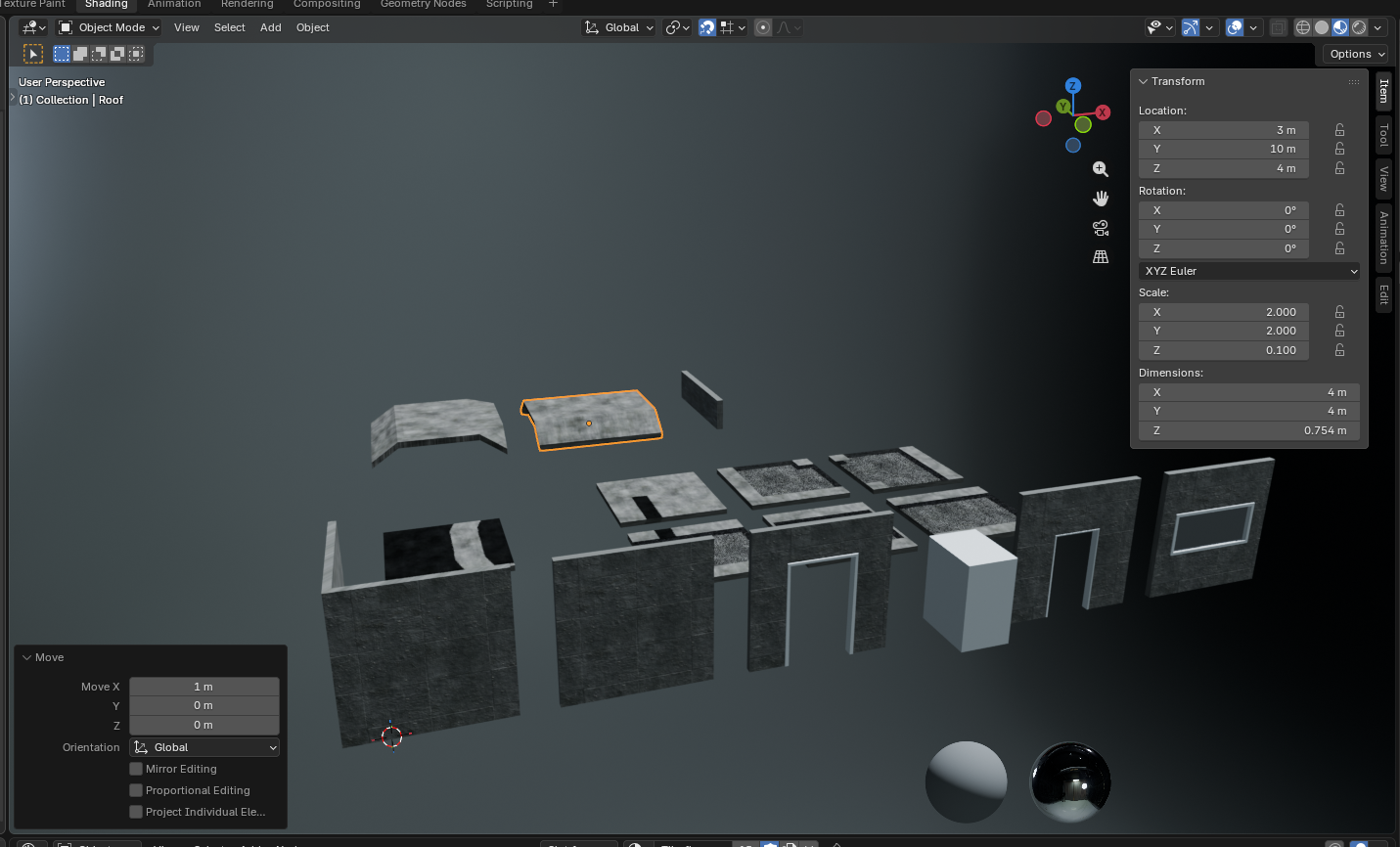
To make it easier for level designing we have created some modular assets for the tunnel in blender. At the moment we have a floor with grates, a normal concrete floor, slated concrete roof, concrete walls and a doorway. The doorway and door is currently in its early stages and we wish to iterate on our doors. For texturing, we used free CC0 licensed PBR materials.
Alien:
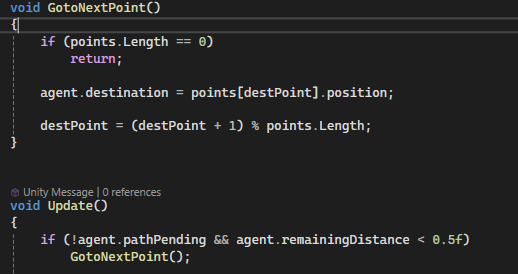
The first part of the alien behavior implemented was a simple patrol. We used a nav mesh agent to handle pathfinding and movement. A public array of Transforms was used to store the positions we wanted the alien to visit, which it cycles through. The majority of the code for this is shown below.
Next, we made the alien randomly stop to make its behaviour feel more realistic. This was done by generating a random number between an adjustable upper and lower bound and comparing it to the elapsed time. When they match, the alien stops briefly before continuing. The majority of the code for this is shown below.
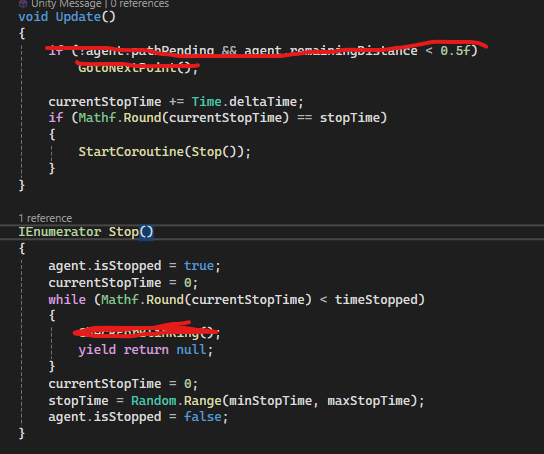
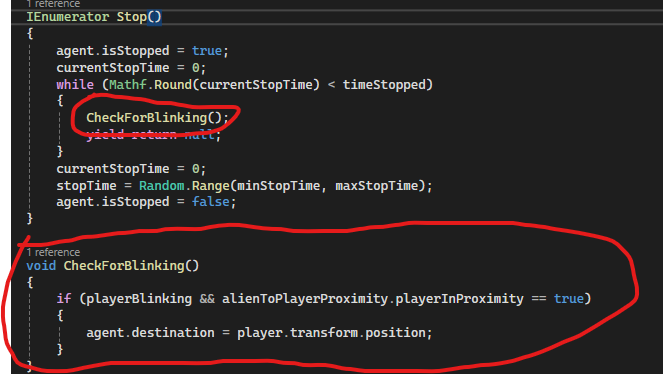
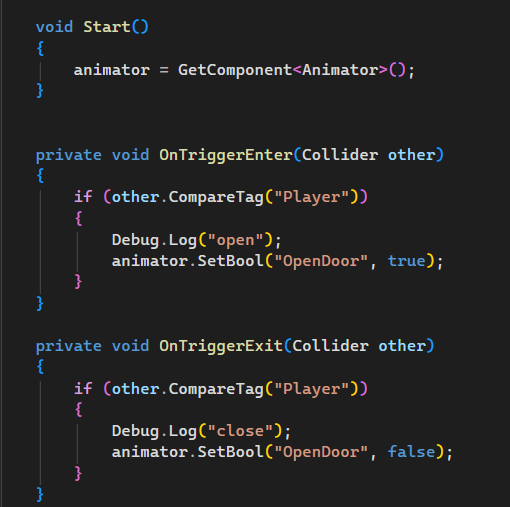
We also wanted the alien to react to the player blinking. The first idea implemented was to make the alien move to the player’s position if the alien was stopped when the player blinked. By subscribing to the blinking actions, we could easily detect when the player was blinking. We then created a function to check if the player was blinking and, if so, set a new target position. This function was called while the alien was stopped. While this worked, we felt it occurred too often. To reduce this, we made it only trigger when the player was close to the alien. Player proximity was checked using a sphere collider and a simple script with OnTriggerEnter and OnTriggerExit. This additional condition was then included in the blinking check. Parts of this code are shown below.